
Did you know that a single diagnostic trouble code can affect everything from your car’s night vision to its parking brake? This surprising fact highlights the interconnected nature of modern vehicle systems.
Welcome to your complete guide for understanding and resolving the B201000 fault code. This specific error signals a “No Basic Setting” condition in your vehicle’s computer. It often appears after repairs or part replacements.
Don’t worry if this code pops up on your scanner. It’s a common issue for many Audi and Volkswagen owners. This guide will help you understand what triggers it and how to fix it.
We will walk you through the diagnostic process. You’ll learn which control modules are often involved, like the trunk electronics or motor mounts. We’ll also cover the necessary calibration steps.
While some solutions need professional tools, many initial checks are DIY-friendly. This article covers models like the Audi Q8 and VW Touareg. Let’s get your car’s performance back on track.
Key Takeaways
- The B201000 code means “No Basic Setting” and is a calibration issue.
- This fault can impact various systems, including safety features.
- It commonly occurs after component replacement or disconnection.
- Proper diagnosis is essential before attempting any fixes.
- Some resolutions require specialized ADAS calibration equipment.
- This guide applies to several Audi and Volkswagen models.
- Understanding the cause is the first step to a successful repair.
Understanding the VW B201000 Error Code
The disappearance of stored calibration data in your car’s control modules creates a domino effect that impacts multiple vehicle functions simultaneously. This calibration problem is what triggers the specific diagnostic trouble code we’re examining.
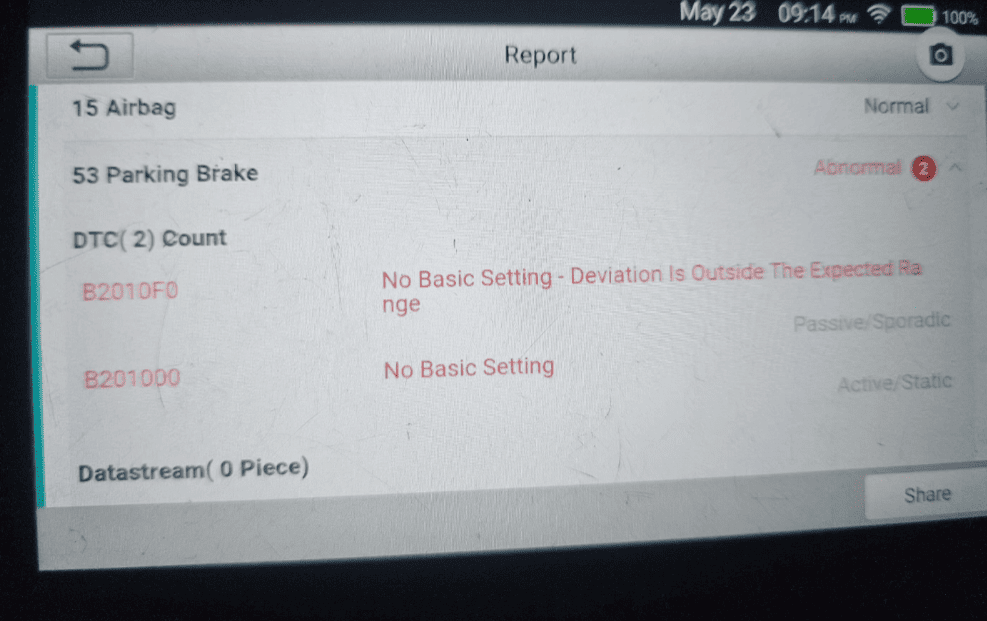
Error Code Overview and Significance
When your scanner shows this error, it means “No Basic Setting” – the control module has lost its calibration parameters. This fault can appear in various system modules, making identification crucial.
While the code might not immediately disable your vehicle, ignoring it risks more serious problems. The loss of basic setting data affects safety and performance.
Recognizing Symptoms and Impact on Vehicle Systems
Common symptoms include malfunctioning central locks and windows that operate incorrectly. Various warning lights may appear on your dashboard.
The error‘s impact varies by which control module is affected. From night vision cameras to parking brake systems, each area shows distinct symptoms.
This fault commonly occurs after maintenance work or battery replacement. Understanding which system generates the code is the first repair step.
| Vehicle Model | Affected System | Common Symptoms |
|---|---|---|
| VW Touareg (7P) | Trunk Electronics & Parking Brake | Trunk release issues, brake warnings |
| Audi Q8 | Night Vision System | Camera malfunctions, safety alerts |
| Audi S6/S7/RS7 (4G) | Motor Mounts Control | Engine vibration, performance issues |
| Audi A3 | Body Control System | Central locking problems, window faults |
Proper basic setting restoration resolves this calibration fault. The table above shows how the same code affects different vehicle systems.
Diagnostic Procedures and Tools for Resolving the Issue
Before attempting any repairs, a thorough diagnostic process is essential to identify which specific system has lost its calibration settings. Proper diagnosis prevents wasted time and unnecessary part replacement.
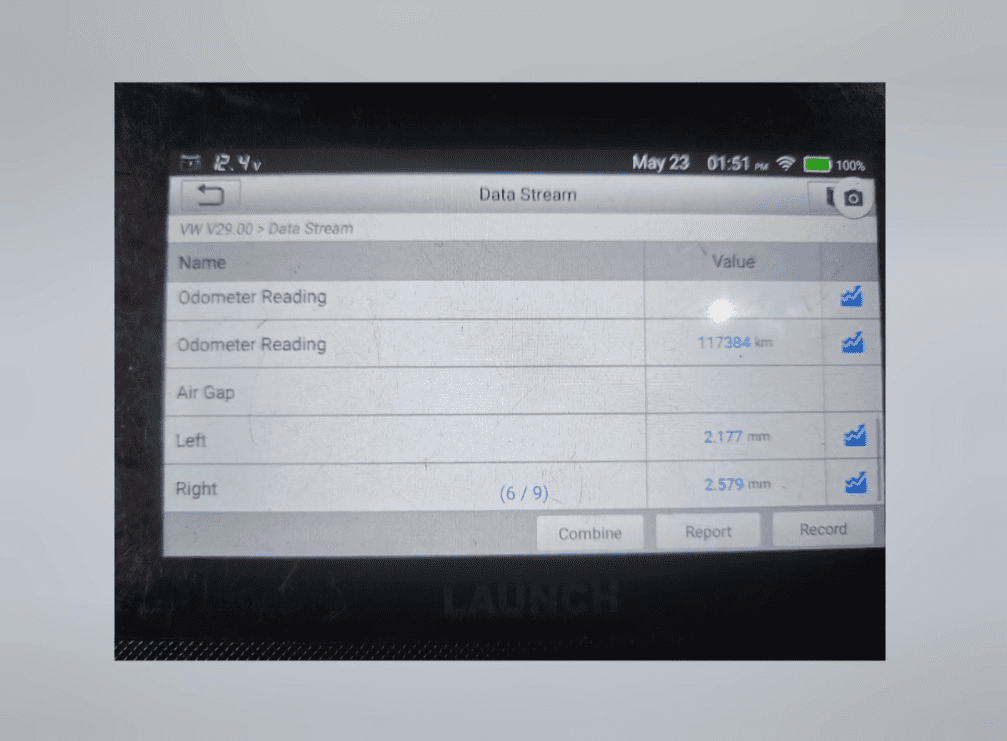
Utilizing OBD-II Scanners and Visual Inspections
Start with a quality OBD-II scanner that reads manufacturer-specific codes. Connect it to your car’s diagnostic port to retrieve all stored fault codes. This gives you the complete picture of the issue.
Next, perform a careful visual inspection. Check all wiring harnesses and connectors for damage or corrosion. Look for loose connections that might cause the calibration fault.
Many vehicle owners share their diagnostic experiences in online forum discussions. Reading through relevant thread posts can provide valuable insights into common problems.
Testing Electrical Components and Connections
Use a multimeter to test electrical components related to the error. Check voltage values and resistance in circuits connected to the affected control module. Compare your readings against factory specifications.
Document all abnormal values during your testing. This documentation helps pinpoint the root cause of the calibration setting issue. Different systems require specific diagnostic approaches.
Some procedures need advanced scan tools available at professional shops. Thorough electrical testing ensures you address the actual fault before attempting calibration.
Step-by-Step Calibration and Repair Process for vw b201000
Getting your vehicle’s systems back to proper operation requires following specific calibration procedures. Each affected control module needs its unique basic setting restored. The process varies but follows a similar pattern across different systems.
Initiating the Calibration Process
For a 2019 Audi Q8’s night vision system, start at the ADAS calibration entrance. The tool automatically identifies your model through the VIN. Navigate the menu to select “Infrared Camera Calibration” and choose the 84 Night Vision system.
Careful preparation is crucial before executing the calibration. Adjust the chassis to standard height. Fix the rear axle steering system if your vehicle has rear wheel steering. Follow each on-screen prompt clicking “Next Step” through the sequence.
Other systems require different approaches. The Touareg’s trunk electronics need a Rear Lid relearn procedure. Motor Mounts calibration demands both a software update and mechanical adjustment. Each procedure re-establishes the proper basic setting.
Verifying Fault Clearance and System Update
Successful calibration shows angle information values on screen. The tool confirms proper setting completion and clears the fault code automatically. Always generate and review the calibration report—this document serves as your official reply to future diagnostic questions.
The final verification step is critical. Use your scanner to re-read fault codes and confirm the error no longer appears. After calibration, take a test drive to ensure all systems operate correctly. Some procedures require professional equipment with the latest software update packages.
Conclusion
Effective troubleshooting combines diagnostic precision with methodical calibration procedures for lasting results. The B201000 fault code, while initially concerning, becomes manageable when approached systematically. Understanding which control module generates this specific error is crucial for selecting the right repair path.
Remember that some calibration procedures require professional equipment and expertise. Don’t hesitate to seek qualified technician help for complex systems. Addressing this fault promptly prevents potential safety issues and system malfunctions.
Online resources like manufacturer forum discussions and technical thread archives offer valuable insights. Keep documentation of all calibration values and procedures for future reference. This creates a helpful maintenance history.
After clearing the error code, continue monitoring your vehicle’s systems during routine checks. With the right approach, this diagnostic code can be successfully resolved. Your Audi or Volkswagen will return to optimal operating condition, ensuring reliable performance on the road.