
Imagine your car’s brain suddenly losing contact with its vital organs. This is the startling reality for thousands of Volkswagen owners when the U112100 diagnostic trouble code appears. It’s a communication breakdown that can leave you stranded with warning lights and limited functionality.
This specific error points to a “databus missing message.” In simple terms, it means one control module in your vehicle isn’t getting the expected signals from another on the car’s internal network. This issue is common in models like the Golf, GTI, and T6 Transporter.
Our guide is here to cut through the confusion. We explain the technical side of databus faults in a way that’s easy to grasp. You’ll learn why these communication codes pop up and get clear, step-by-step solutions.
Whether the problem started after installing new parts, during a cold snap, or out of the blue, we have you covered. We’ll help you figure out if it’s a quick fix you can handle or if you need a pro’s help.
Key Takeaways
- The U112100 code indicates a communication failure between your car’s computers.
- This problem can trigger dashboard warnings and affect how your vehicle drives.
- Diagnostic tools like OBDeleven or VCDS are essential for identifying this issue.
- Causes range from simple wiring issues to more complex module failures.
- This guide provides troubleshooting steps from basic checks to advanced procedures.
- Understanding this error helps you decide between a DIY repair and seeking professional help.
Introduction to the VW U112100 Error Code
Modern vehicles rely on complex networks where electronic components constantly talk to each other, and when this conversation breaks down, trouble codes like U112100 appear. This specific error represents a communication failure that can affect how your vehicle operates.

Understanding the Error Message
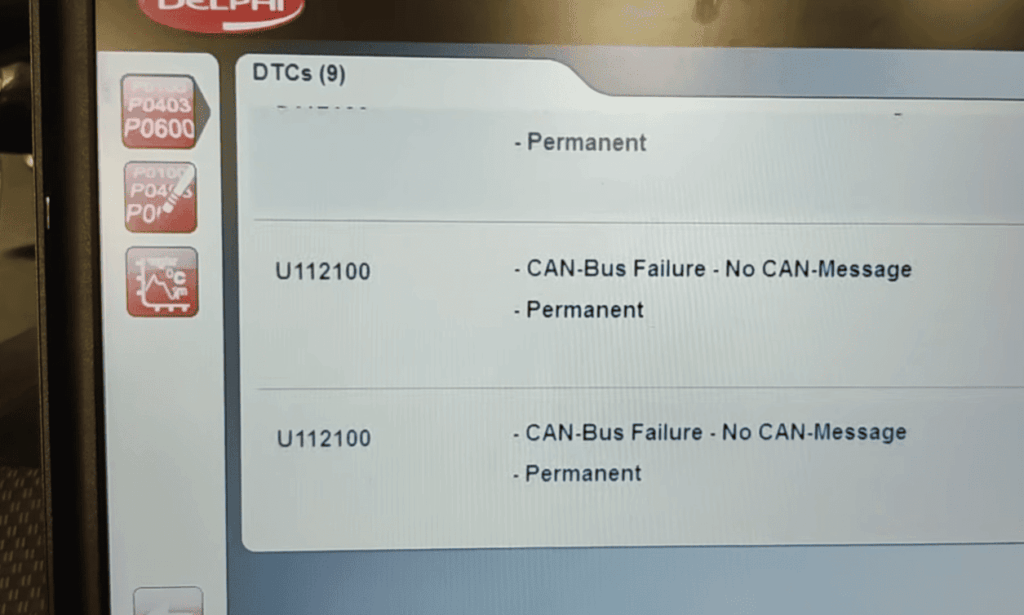
The U112100 code specifically means “databus missing message.” This occurs when one control module fails to receive expected data from another component in your vehicle’s network. The receiving module notices the absence of this crucial message and logs the fault.
Volkswagen vehicles use advanced communication networks like CAN bus to connect various systems. When a scheduled data packet doesn’t arrive on time, the system recognizes this as a missing message situation. This triggers the diagnostic trouble code.
Why It Matters for Volkswagen Owners
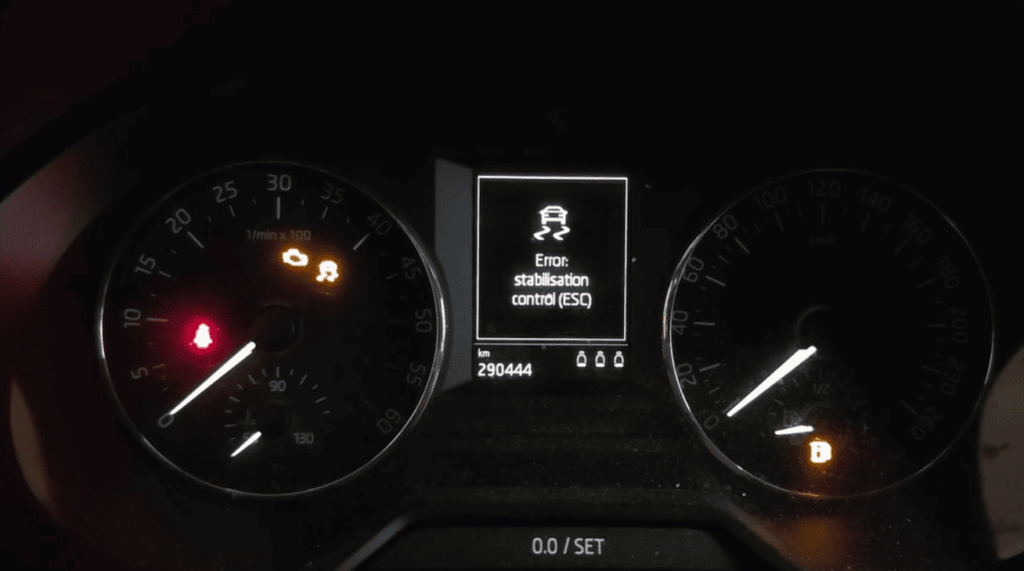
This communication issue matters because it can impact critical safety features. Systems like brakes, steering assistance, and stability control depend on uninterrupted data exchange between modules.
When the U112100 code appears, your vehicle may enter a protective mode. This can limit functionality until the communication problem gets resolved. Understanding this error helps you address it properly before it affects your driving experience.
Overview of the Troubleshooting Guide
A systematic approach to diagnosing vehicle communication faults ensures you address the root cause rather than just treating symptoms. This guide provides a complete roadmap for resolving databus communication issues effectively.
Scope of the Article
Our comprehensive coverage begins with understanding your vehicle’s communication system architecture. You’ll learn how control modules interact and why communication breakdowns occur.
We guide you through using diagnostic tools to scan for trouble codes and interpret the data. The article covers various scenarios where these faults appear, including after upgrades or weather changes.
Step-by-step procedures take you from basic checks to advanced solutions. Real-world case studies offer practical insights from owners who solved similar communication problems.
This approach helps you determine if you can handle the fix yourself or need professional help. You’ll gain confidence in addressing databus communication errors systematically.
Understanding Databus Errors in Volkswagen
The databus system in modern Volkswagens serves as the central nervous system for all electronic components. When this communication network experiences issues, specific trouble codes help identify the problem.
What is a Databus and How It Works
A databus is a digital highway that connects your vehicle’s electronic control units. These modules constantly exchange information to keep everything running smoothly.
Volkswagen vehicles primarily use CAN (Controller Area Network) technology. This system operates at different speeds depending on the function. Critical systems like brakes use high-speed networks.
Each control module has a unique identity and broadcasts specific message data. They also listen for information from other unit components. This continuous exchange ensures harmonious operation.
Key Databus Faults: U112100 and U112300
The U112100 code indicates a “databus missing message” condition. This means an expected communication packet never arrives at the receiving module.
A closely related databus error is U112300. This code means “databus error value received.” The message arrives but contains incorrect or corrupted data.
These databus faults often appear together across multiple control units. This suggests a network-level communication problem rather than isolated component failure.
Understanding this distinction is crucial for effective diagnosis. U112100 indicates complete communication loss, while U112300 points to partial communication with bad data.
Diagnosing the VW U112100 Issue
Professional diagnostic equipment transforms guesswork into precise troubleshooting for automotive issues. When communication faults appear, the right tools provide clear direction for resolution.
Utilizing Diagnostic Tools like OBDeleven and VCDS
Two primary systems help identify databus communication issues. OBDeleven offers Bluetooth smartphone connectivity for convenient scanning. VCDS provides comprehensive laptop-based analysis for professionals.
Begin with a complete vehicle scan rather than checking individual modules. This approach reveals which control unit components show communication faults. Multiple modules reporting the same issue suggest network-level problems.
Interpreting Freeze Frames and Error Codes
Freeze frame data captures exact conditions when faults occur. This includes date, mileage, and priority levels. The information helps pinpoint triggering events.
Review each control unit‘s details carefully. Check the software number, hardware version, and ODX name. These details reveal compatibility issues within the vehicle’s system.
Use the click expand feature to view complete diagnostic information. This reveals hidden data not visible in summary views. Proper interpretation leads to accurate solutions.
Potential Causes of the VW U112100 Error Code
Understanding what triggers communication failures helps you pinpoint the exact cause of your vehicle’s diagnostic trouble codes. Several common scenarios can lead to these databus communication issues.
Sensor Malfunctions and Communication Failures
Aftermarket installations often cause this specific error. Head unit replacements may not properly emulate original module communication protocols. This creates persistent databus missing message faults that resist clearing.
Electrical issues like low battery voltage trigger widespread communication failures. Modern control units are highly sensitive to voltage fluctuations. Even minor drops below critical thresholds disrupt proper module communication.
Extreme weather conditions can cause temporary or permanent communication problems. Severe cold may lead to connector contraction or frozen moisture. Electronic components behave differently at temperature extremes.
Faulty sensors indirectly cause these communication errors. Wheel speed sensor problems make brake control modules log databus faults. This typically generates specific sensor error codes alongside the communication issue.
Gateway module failures represent a critical potential cause. The gateway routes messages between different databus networks. Malfunctions cause multiple control units to experience missing message errors simultaneously.
Wiring harness damage, connector corrosion, or poor ground connections interrupt communication signals. Common failure points include areas exposed to water intrusion or mechanical stress.
Software incompatibilities prevent proper communication even with functioning hardware. This occurs after module replacements or when using aftermarket components. Corrupted module configurations also cause communication problems.
Step-by-Step Troubleshooting Process
Starting with basic electrical checks provides the foundation for resolving complex communication problems in your vehicle. This systematic approach helps identify whether you’re dealing with a simple power issue or a more complex module failure.
Initial Checks: Battery, Fuses, and Connections
Begin by testing your battery voltage with a multimeter. A healthy battery should read at least 12.6 volts when the vehicle is off. Weak batteries can cause communication errors even if the car starts normally.
Check all fuses in both dashboard and engine bay panels. Pay special attention to fuses serving modules showing communication faults. A blown fuse will cause a control unit to disappear from the network.
Inspect brake fluid levels and clean wheel speed sensors if needed. While these rarely cause U112100 errors alone, they can contribute to broader system issues.
Performing a Detailed Scan for Additional Faults
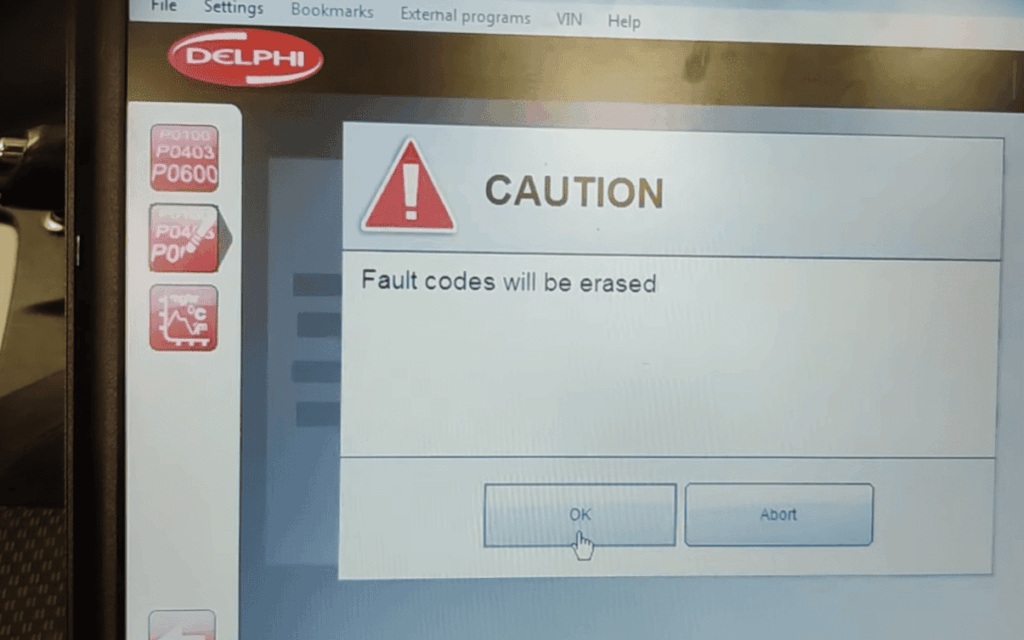
Run a comprehensive scan across all vehicle modules using your diagnostic tool. This reveals patterns that help pinpoint the root cause of communication problems.
Note which fault codes clear successfully and which return instantly. Codes that come back immediately indicate active issues requiring immediate attention.
| Troubleshooting Step | Priority | Tools Needed | Expected Outcome |
|---|---|---|---|
| Battery Voltage Test | High | Multimeter | Identify power supply issues |
| Fuse Inspection | High | Fuse tester | Find blown protection circuits |
| Module Communication Scan | Medium | Diagnostic tool | Map network connectivity |
| Code Clearance Test | Medium | Scan tool | Determine active vs stored faults |
Document all findings carefully. Note which control units show errors and any patterns related to driving conditions. This information becomes crucial for advanced diagnosis.
Exploring Coding and Configuration Considerations
Sometimes the solution to complex communication errors lies in the vehicle’s digital configuration settings rather than physical components. When hardware checks don’t reveal obvious issues, software adjustments often restore proper databus functionality.
Adjustments with Diagnostic Interfaces
Coding changes through tools like VCDS or OBDeleven can resolve configuration mismatches. This is particularly helpful after aftermarket installations where the vehicle’s setup needs updating.
Each control unit has specific software numbers, hardware versions, and ODX names that define its capabilities. When a replaced module has different specifications, coding updates ensure compatibility within the system.
Access the gateway module‘s configuration through your diagnostic interface. Review parameters related to affected systems like navigation or infotainment. Adjust these settings to match your actual hardware setup.
The click expand function reveals detailed coding strings and adaptation values. Comparing these to known-good configurations helps identify specific changes needed.
If coding adjustments don’t resolve the U112100 error, the issue is likely hardware-related. This indicates physical wiring problems or incompatible components that cannot emulate original equipment protocols.
Impact on Vehicle Systems and Safety
The loss of communication between vital control modules can disable essential safety features that drivers rely on daily. When databus faults occur, your vehicle’s protective systems may shut down to prevent unsafe operation.
Real-world experiences show how serious these communication errors can be. One driver reported, “Traction control was completely disabled, making the vehicle difficult to control even with winter tires.” The ABS braking remained functional, but advanced stability features were lost.
Effects on Brakes, Steering, and Overall Control
When the brake control unit experiences databus communication faults, it often disables Electronic Stability Control and traction systems. These advanced features require constant data exchange between multiple module components.
The steering assistance system can also be affected. You might notice heavier steering or warning lights indicating power steering issues. While mechanical steering remains operational, the electric assist may fail.
Multiple dashboard warnings typically appear together. This indicates a widespread communication issue rather than individual component failures. Driver assistance features like adaptive cruise control are particularly vulnerable to these errors.
Your vehicle may enter a protective mode that limits functionality. This safety precaution ensures basic operations remain available while disabling advanced features that require reliable databus communication.
Real-World Case Studies and User Experiences
Three distinct scenarios from Volkswagen owners reveal the diverse nature of databus communication problems. These real cases show how the same error code can appear under different circumstances.
Insights from Alpine Head Unit Upgrades
A T6 Transporter owner installed an Alpine Halo 9 unit with an APFX300VW interface. The new system worked but created persistent communication faults. The Multi-Function Display showed “Phone N/A” during Android Auto use.
Navigation directions failed to appear despite proper coding. This suggests the aftermarket interface couldn’t emulate all original messages. The control unit expected data that never arrived.
Another case involved a 2016 GTI SE exposed to -13°F temperatures. The cold triggered immediate databus missing message errors. Traction control disabled completely despite extensive troubleshooting.
A battery replacement didn’t resolve the static faults. This shows environmental factors can cause stubborn communication issues.
The most complex case was a 2014 Golf with widespread errors across seven control unit components. Battery replacement didn’t help these systemic faults.
All instances showed “missing message static” status. This indicates a network-level problem rather than individual component failure.
Expert Tips for Efficient Error Code Resolution
Proper documentation during the diagnostic process creates a roadmap that guides you directly to the root cause. This systematic approach saves valuable time and prevents repetitive troubleshooting.
Best Practices for Using OBDeleven and VCDS
Always begin with a complete vehicle scan rather than checking individual modules. This comprehensive view reveals communication patterns between all control units.
Use the click expand feature to access detailed diagnostic information for each error code. This reveals environmental conditions and frequency data that basic views miss.
Pay close attention to whether faults are static or intermittent. Static codes indicate active problems requiring immediate attention.
When clearing faults, note which ones return instantly. Persistent errors signal unresolved communication issues between vehicle electronics.
Keep your diagnostic tools updated. Regular VCDS and OBDeleven updates add support for newer modules and fix bugs in diagnostic routines.
Utilize online communities where experienced users share solutions. Thanks to these resources, many complex codes have documented fixes that save troubleshooting time.
Monitor real-time communication using advanced VCDS features. This can reveal intermittent dropouts that don’t always generate stored faults but indicate marginal connections.
VW U112100: Maintaining Your Vehicle’s Databus Integrity
Preventing databus communication issues before they occur is key to maintaining your vehicle’s electronic reliability. A proactive approach saves time and money while ensuring your safety systems function properly.
Regular Diagnostic Scans
Schedule diagnostic scans every 3-6 months using tools like OBDeleven or VCDS. These scans catch developing communication faults early.
Intermittent databus missing message errors often appear in scan history before becoming static problems. Early detection allows you to address issues before they affect vehicle operation.
Guidance on Preventative Maintenance
Battery health is crucial for reliable electronics. Replace your battery every 4-5 years to maintain stable voltage for sensitive modules.
Protect electrical connections from moisture with dielectric grease. Focus on areas exposed to water like wheel wells and engine bays.
When installing aftermarket electronics, research compatibility thoroughly. Use high-quality CAN bus interfaces designed for your specific vehicle platform.
| Maintenance Task | Frequency | Tools Needed | Key Benefit |
|---|---|---|---|
| Diagnostic Scan | Every 3-6 months | OBDeleven/VCDS | Early fault detection |
| Battery Check | Annually | Multimeter | Stable power supply |
| Connection Inspection | Every 12 months | Dielectric grease | Prevent corrosion |
| Software Updates | During service visits | Dealer tools | System stability |
Keep control module software updated during regular service visits. Manufacturers release updates that improve communication reliability and fix known databus bugs.
Conclusion
Mastering the diagnosis of automotive network errors empowers you to maintain your vehicle’s electronic systems effectively. Throughout this guide, we’ve explored how databus communication issues can affect everything from entertainment features to critical safety systems.
The systematic approach outlined here—from basic battery checks to advanced diagnostic tool usage—provides a clear path for resolving the U112100 fault. Tools like OBDeleven and VCDS reveal crucial details about each control unit, helping you pinpoint whether issues are isolated or systemic.
Remember that prompt attention to these codes is essential for vehicle safety. The knowledge you’ve gained enables confident decision-making about when to tackle repairs yourself or seek professional help.
Thanks to this comprehensive framework, you’re now equipped to restore your car’s communication integrity and ensure reliable operation for years to come.